
Download Hide Expert VPN iOS / MacOS app in a country with restrictions
Disclaimer: Service does not encourage you to violate laws of your country or Apple policies
In some cases, for example, if you are using Apple ID which is registered in a country where the government is trying to restrict VPN usage, you may not find Hide Expert VPN application in the Apple Store.
In order to bypass that, you can create (or buy online) a new Apple ID, download Hide Expert VPN application and subscribe under the new Apple ID, then switch back to your old Apple ID and continue using the working application.
1.
To create a new Apple ID on your iPhone or computer, go to https://appleid.apple.com/#!&page=signin.
2.
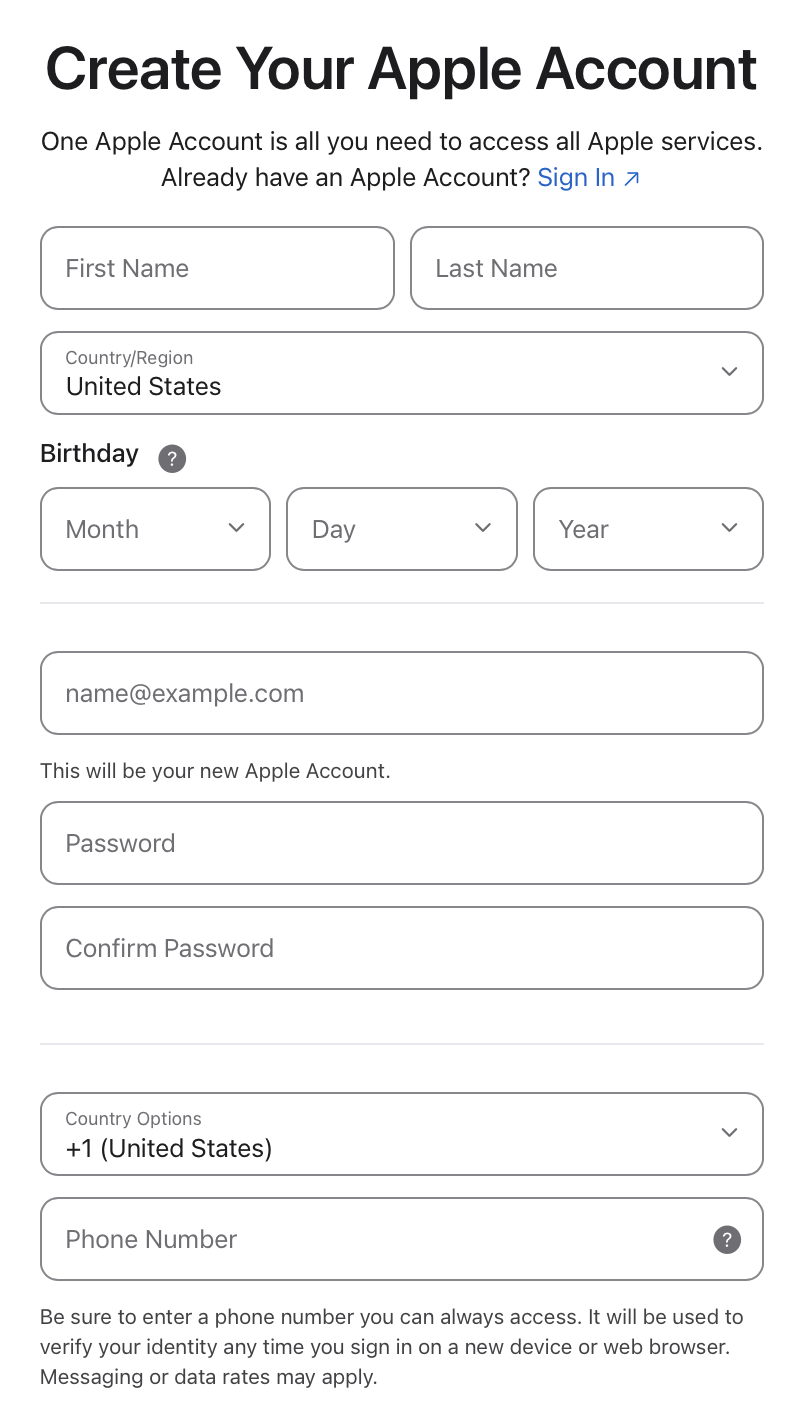
Click Create Your Apple Account. The Apple ID creation form will open.

3.
Enter your details, choose the United States as your country (or any other country).
4.
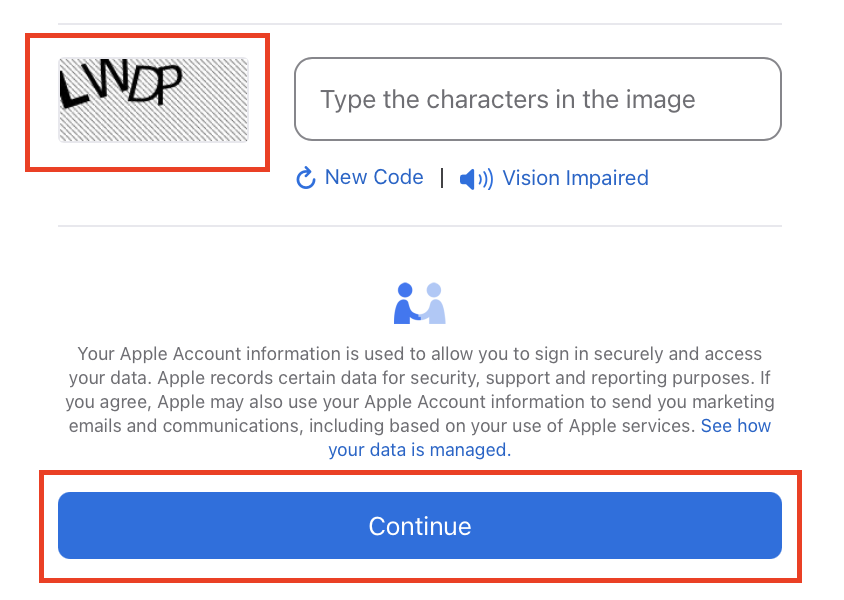
Enter characters shown on the image, then click «Continue».
5.
You will receive verification via email. Enter the verification code.
6.
Next step you may complete both on iPhone or in browser:
Phone: Open the App Store on your iPhone. Sign out of your current Apple ID and sign in again using your new Apple account.
Browser: Sign into your new Apple ID on https://appleid.apple.com/#!&page=signin.7.
Now in settings you will have to change payment method:
a. On iPhone: Go to Settings → Apple ID → Payment & Shipping.
b. On website: Go to Payment & Shipping → Change.8.
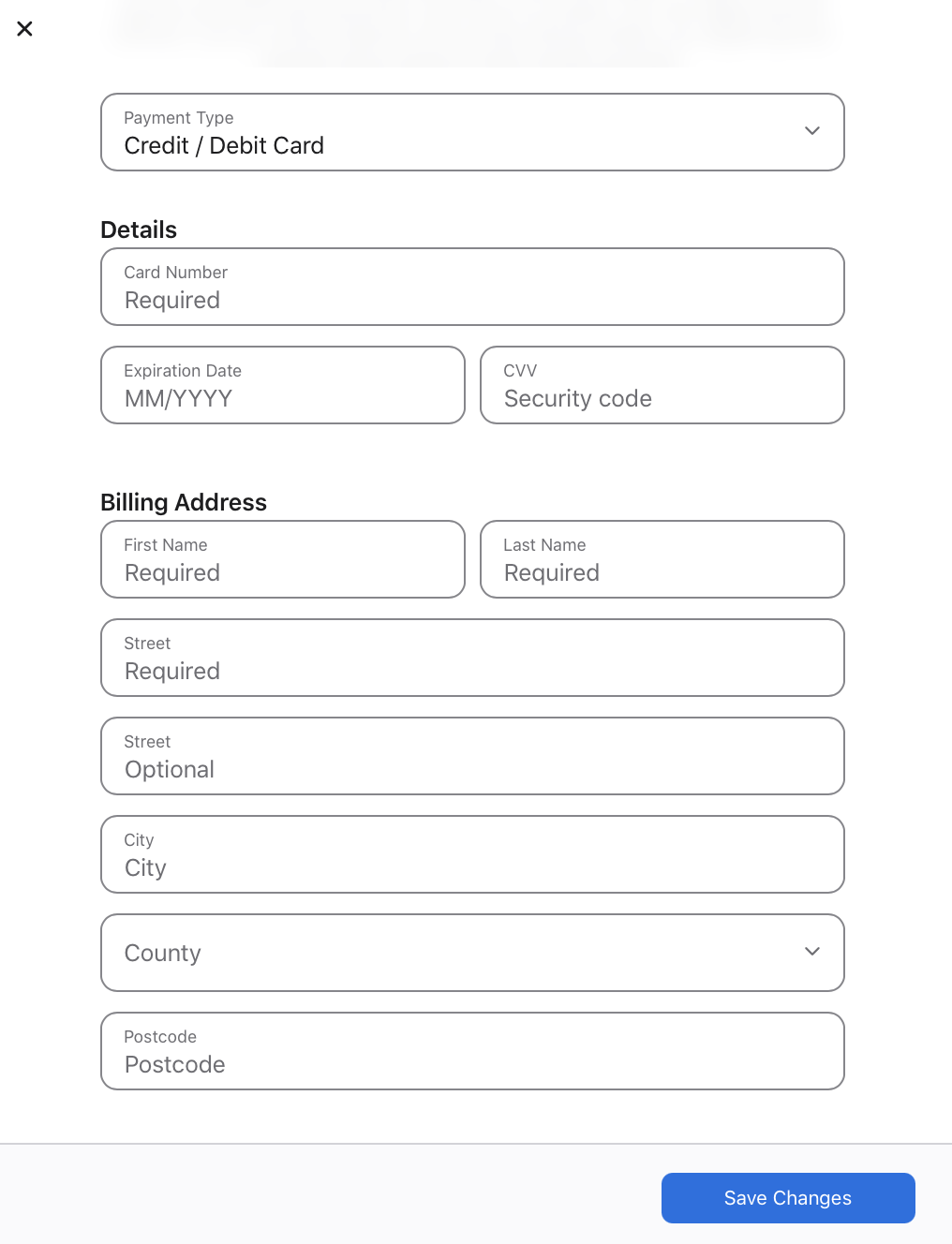
Select None as a payment method, then enter any foreign billing address and phone number (for example, any Starbucks or other public place that provides both an address and phone number in the Internet). Click Save Changes to continue.
9.
You should now be able to download the Hide Expert VPN application from App Store.
If you encounter any problems during the process, please contact our support team: .